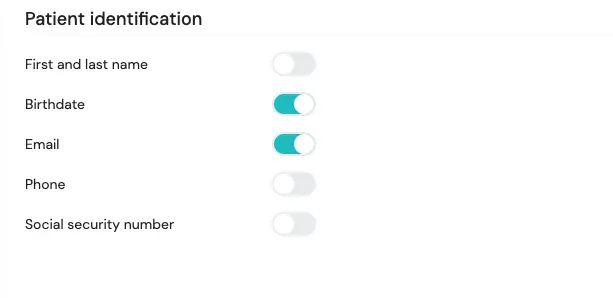
Wanneer een patiënt een gesprek start via een patiënt-geïnitieerde link, vraagt de chatbot eerst om identificatiegegevens, zoals naam of geboortedatum. Die gegevens helpen je om de patiënt terug te vinden in het dashboard.
Als organisatiebeheerder kun je zelf bepalen welke identificatiegegevens gevraagd worden.
Zo configureer je dit
- Ga naar Settings → General → Privacy → Patient Identification.
- Gebruik de toggles om specifieke velden aan of uit te zetten, zoals naam, e-mailadres, telefoonnummer of geboortedatum.
Zo verzamel je enkel de informatie die je echt nodig hebt, terwijl patiënten toch correct geïdentificeerd kunnen worden binnen het platform.