What happens next
Your request is validated, sent into the Vesalius Support helpdesk flow, and confirmed only after the backend accepts it.
Submit your question or issue here and our support team will follow up as quickly as possible.
Your request is validated, sent into the Vesalius Support helpdesk flow, and confirmed only after the backend accepts it.
Add screenshots, exported files, or a short document if that helps us reproduce the issue faster.
Submit the ticket with the clearest reproduction steps you can share so the support team has the right context from the start.
Browse the latest support articles, setup guides, and product walkthroughs for the Vesalius platform.

What is an output template...

What is automatic questionnaire sending...

What is Smart Scheduling...
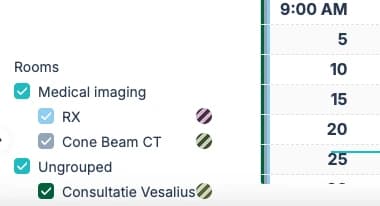
To make your calendar easier to navigate, you can group related rooms together...

This mode allows you to activate the Scribe bot directly inside the same patient conversation the patient completed before the consultation...

This allows you to use the Scribe bot even when you didn’t send a Vesalius conversation before the consultation...