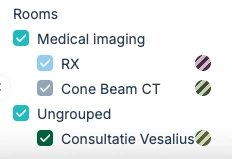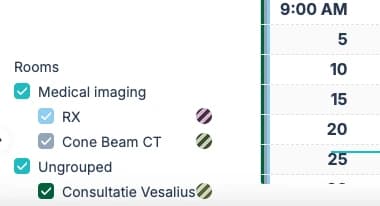
To make your calendar easier to navigate, you can group related rooms together. Below is an example showing how the rooms RX and Cone Beam CT can be grouped under Medical Imaging.
1. Go to Settings → Appointments → Manage Agenda
Here you can see all active time slots for each room

2. Go to the room that you want to put in a room group
All rooms are visible at the top of the page

3. Click the pencil icon next to a room (e.g., RX) to open the Room Detail page.
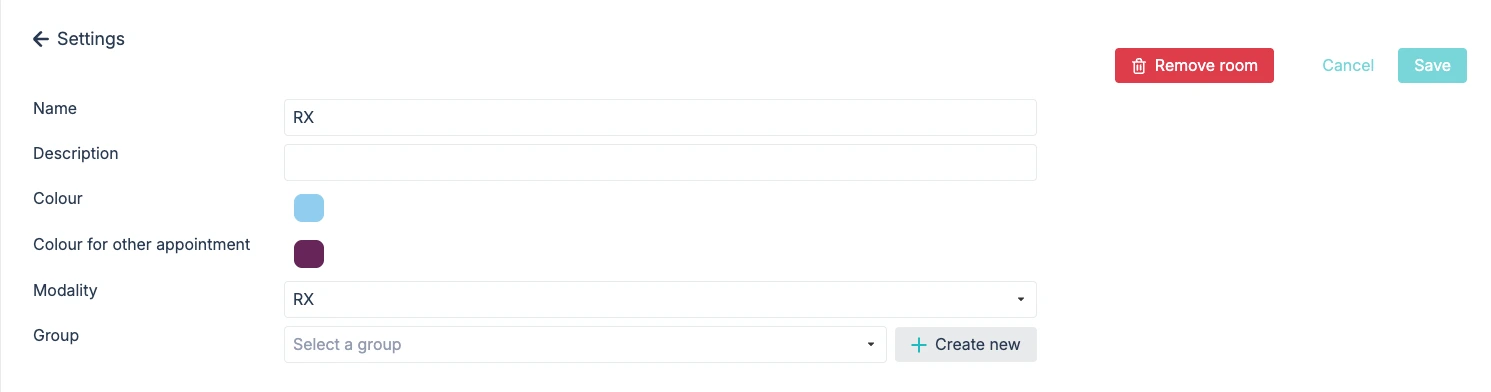
4. In the Room Detail page, open the Group dropdown. Click Create new to add a new room group.
For example: Create the group “Medical Imaging” by entering the name in all available languages and confirm.
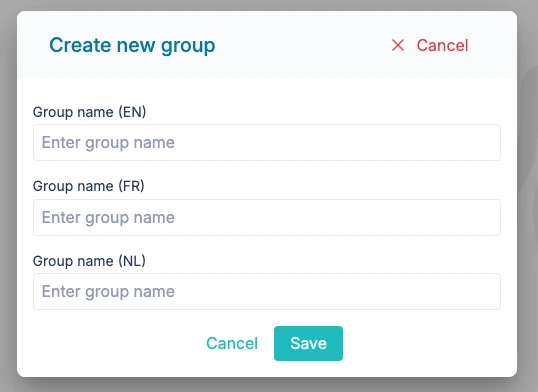
5. After creating the group, select the group in every rooms detail page that you want in the group, it is very important to click save after adding/changing the room group.
For example: We add RX and Cone beam CT to the group medical imaging

6. In the calendar, you will now see all rooms neatly grouped in the bottom-left corner.